yimmenu download · Installation and maintenance
YimMenu Download and Update Checklist
A YimMenu download should begin with source and version checks, not with the first archive that appears in search results. The project has an official repository, while third-party library entries and repacks can present different metadata, files, and update schedules.
This checklist covers repository verification, repack avoidance, GTA V compatibility, the ExLoader library route, update habits, and troubleshooting. The ExLoader listing credits YimMenu as author and displays an update date of 24 October 2026. That is listing metadata, not a claim about the current latest project release.
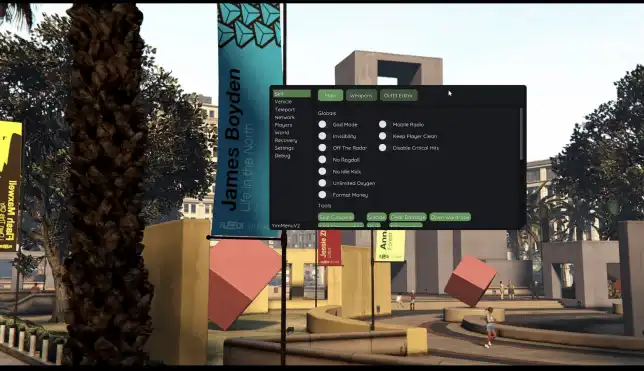
Verify the official project repository
Use the reference provided with this guide to reach the YimMenu organization's YimMenu repository. Check both the owner and repository name, then read the project documentation before choosing a release asset or source-build route. Similar names, forks, and mirrored downloads are not automatically the same source.
Review official release notes, build instructions, and relevant issue reports for compatibility information. If the project supplies checksums or signatures, verify them using its documented process. Do not invent an expected hash or treat popularity, screenshots, and download counts as package verification.
- Confirm the repository owner and exact project name.
- Read the documentation before selecting files.
- Distinguish release assets from source-only downloads.
- Check recent compatibility notes and reported issues.
- Verify published checksums when official values are available.
Avoid repacks and misleading bundles
A repack can combine old project files with unrelated launchers, scripts, or configuration changes. A newer-looking date on that bundle does not establish a newer YimMenu release. Prefer traceable project files and a library entry whose source and contents you can compare with official information.
Be cautious with password-protected archives, required extra downloads, and packages that omit version details. If a security tool flags a file, investigate the source and specific detection rather than disabling protection. Open-source availability also does not guarantee compatibility or freedom from account enforcement.
- Avoid bundles that add unexplained executables or dependencies.
- Compare package file lists with official documentation.
- Do not equate a repack date with a project release date.
- Keep the original download details for later comparison.
Check version compatibility before installation
Record the GTA V build and the exact YimMenu release or revision you intend to use. Read the supported-version notes and any required components for that specific package. A file that worked previously can fail after a game patch, while a newly built file can still have unresolved issues.
Keep game updates, menu updates, and configuration changes separate in your notes. This makes it possible to identify which change caused a fault. Avoid mixing old scripts, settings, or binaries with a new package unless the project documentation explicitly supports that combination.
- Note the game build before downloading or updating.
- Record the menu release or revision, not just the file name.
- Read known issues affecting the intended game version.
- Back up working configurations before replacing any files.
- Do not assume an older package remains compatible.
Use the ExLoader library route deliberately
The ExLoader entry can serve as a library route, but it should not replace source verification. Treat its author credit and displayed update date as details to compare, not as proof that the entry tracks the newest repository state.
- Open the YimMenu entry and confirm that the listed author is YimMenu.
- Record the displayed update date of 24 October 2026 without labeling it the latest version.
- Read the entry's installation notes, package details, and stated game compatibility.
- Compare those details with the official repository documentation and release information.
- Keep a note of any date or version difference, then follow the documented launch process for the package you selected.
Build a consistent update habit
Check for relevant changes after a GTA V patch and before replacing a working menu installation. Read official notes first, back up configurations, and update one component at a time. A routine based on documented compatibility is more useful than downloading every newly posted file.
Keep a short log of the game build, YimMenu revision, package source, and test result. Retain the previous configuration for recovery, but do not assume an older menu binary is an appropriate rollback after a game update.
- Review project notes after each relevant game update.
- Export or copy configuration files before updating.
- Test default settings before importing an old configuration.
- Record the source and result for each tested package.
Troubleshoot download and update problems
If the menu fails to appear after an update, confirm the game build, package revision, launch method, and documented errors before changing settings. Restore default configuration values for testing, and check whether leftover files from an earlier package are being loaded instead.
If a downloaded file differs from the expected release asset, stop and compare its source rather than forcing it to run. For missing options or broken configurations, consult current documentation and issue reports. Repeated failures immediately after a GTA V patch call for compatibility verification, not indiscriminate reinstalling.
- Write down the exact error and the last component changed.
- Check for mixed files from earlier installations.
- Retest with a default configuration where practical.
- Compare the package identity with official release information.
- Keep backups intact until the replacement passes a basic test.
Frequently asked questions
Does 24 October 2026 identify the latest YimMenu release?
No. That is the update date displayed on the ExLoader listing. Compare the entry's package details with official repository information instead of converting listing metadata into a latest-version claim.
Is a repack with a newer date better than the official package?
Not necessarily. A repack date may describe when someone bundled the files. Check the actual project revision, package contents, source, and compatibility notes before choosing a download.
Should YimMenu be updated immediately after a GTA V patch?
Check current compatibility information first. Back up your configuration, read official notes, and avoid assuming either the old installation or a newly posted package works with the updated game.
Further reference: YimMenu official GitHub repository